1
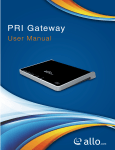
ALLO PRI Gateway
Contents
1. Product introduction ................................................................................................................................. 5
1.1. Overview ............................................................................................................................................ 5
1.2. Equipment Structure .......................................................................................................................... 6
1.2.1. Rear View .................................................................................................................................... 6
1.2.2. Front View ................................................................................................................................... 7
1.3. Function and Feature ......................................................................................................................... 8
1.3.1. Protocol Standard Supported ..................................................................................................... 8
1.3.2. System Function .......................................................................................................................... 8
1.3.3. General Hardware Specification ................................................................................................. 8
2. Getting started with PRI Gateway........................................................................................................... 10
2.1. Hardware Installation ...................................................................................................................... 10
2.2. Accessing the WEB GUI .................................................................................................................... 11
3. Setting Up Features................................................................................................................................. 12
3.1 System Dash Board ........................................................................................................................... 12
3.3 SIP Trunks .......................................................................................................................................... 12
3.3.1 Add a SIP Trunk .......................................................................................................................... 12
3.3.2 Add SIP Trunk Group .................................................................................................................. 13
3.3.3 Manage SIP Trunk Group ........................................................................................................... 14
3.4 ISDN PRI Trunks ................................................................................................................................. 14
3.5 Calling Groups ................................................................................................................................... 15
3.6 Call Routing Rules.............................................................................................................................. 16
3.7 Time of Day Routing:......................................................................................................................... 17
3.7.1 Add a New Time Based Routing Rule: ........................................................................................ 17
3.7.2 Add a New Time Route Group: .................................................................................................. 18
3.7.3 Manage Time Route Groups: ..................................................................................................... 18
3.8 Network Settings:.............................................................................................................................. 19
3.9 Network Services: ............................................................................................................................. 20
User Manual V2.0
3