1
■■
■■
Operating voltage
❏❏
Minimum: 0.9 V
❏❏
Maximum: 3.3 V
Current dissipation
❏❏
Presenter: 25 mA
❏❏
Mouse: 2.5 mA
■■
Standby current: 2.0 mA ± 1.0mA
■■
Remote range: 50’ (15.2 m)
■■
System requirements
❏❏
Available USB port on the computer
❏❏
Windows 98SE/2000/ME/XP/Vista/7/8 or above; Mac OS X
■■
Dimensions: 4.3" × 1.6” × 1.3” (10.9 × 4.0 × 3.2 cm)
■■
Weight (with battery and USB receiver): 1.9 oz. (55 g)
Operation
Installing Batteries
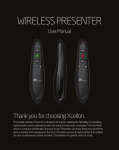
The Xcellon WPM-10R Wireless Presenter accepts one AAA battery. Follow these steps to
install the battery:
1.
Locate the battery compartment on the back of the Presenter.
2.
Slide open and remove the battery compartment door.
3.
Remove the old battery if necessary.
4.
Insert a fresh AAA battery in the orientation indicated by the illustration within the
compartment.
5.
Slide the battery compartment door back into place to close it. You may hear a slight
click, indicating the door has been securely closed.
2