1
CHAPTER 2. DIGITAL CAMERAS
lens. If you have to use only the built-in flash, zoom the lens out to a wider
angle, tell the subject to look directly at the camera, get close, increase the
overall room lighting, or have the subject face a bright window. You can
remove red-eye using software, but it’s a lot easier to avoid it to begin with.
On most cameras you can turn red-eye mode off. In many situations it’s not
needed and it does introduce a very brief delay between pressing the shutter
button and capturing the picture because the red-eye reduction light needs
time to flash.
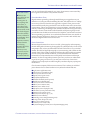
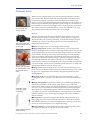
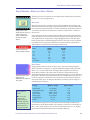
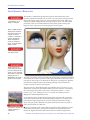
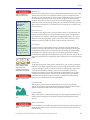
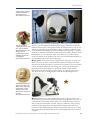
■ Fill flash (forced) mode, often called Flash On or Forced Flash, fires the flash
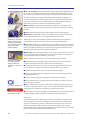
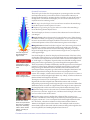
http://www.photocourse.com/itext/fillflash/
Click to explore fill flash. fires even if there is enough available light to take the picture without flash. It
is used when you want to fill in shadows when the subject is back or side lit.
In these situations shadow areas can be so dark in the image that they show
little or no detail. When the subject is backlit or against a bright background, it
can be underexposed. Fill flash is also a good way to get accurate color balance
under unusual lighting. Another reason to use fill flash outdoors is to add
catch lights to eyes—hot spots that make the eyes sparkle.
■ Flash off mode is used when the light is low enough to trigger the flash but
you’d rather use a long exposure to capture it in natural light. On some
cameras you can also turn the built-in flash on or off when an external flash is
attached.
■ Night scene mode uses flash to correctly exposes the foreground subject
while using a slow shutter speed to lighten the background.
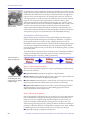
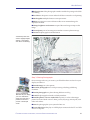
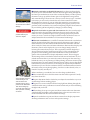
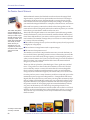
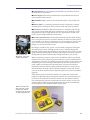
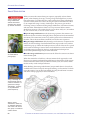
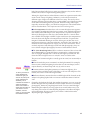
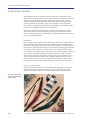
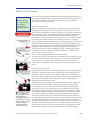
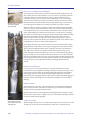
■ Slow sync fires a short burst of flash during a longer exposure to freeze
objects while still allowing them to blur.
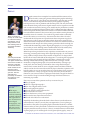
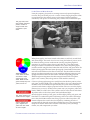
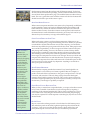
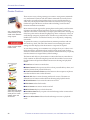
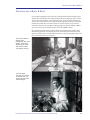
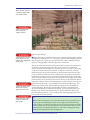
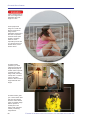
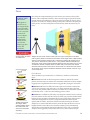
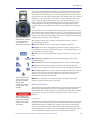
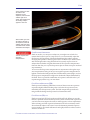
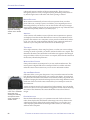
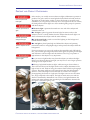
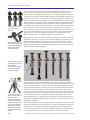
Slow sync flash
outdoors at sunset
captured gulls in mid
flight with interesting
effects.
In very dim light, flash pictures show a well exposed foreground subject
against a black background. The slow synchro mode is designed to minimize
this problem by leaving the shutter open longer than usual to lighten the
background. This way the shutter speed determines the exposure of the
background while the flash determines the exposure of the foreground subject.
In many cases, the slow shutter speed used in this mode allows blur from
rapidly moving objects or camera shake to appear as blur in the images. To
avoid blur, use a tripod and photograph static subjects. Or use this effect
creatively. A short flash burst combined with a long shutter speed gives
interesting effects. The flash freezes nearby objects sharply, and the dim
ambient light blurs moving objects and moving lights appear as streaks. Some
digital SLRs let you choose if the flash fires either when the shutter first fully
opens or just before it’s about to close.
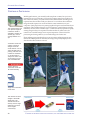
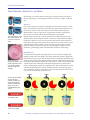
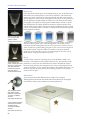
http://www.photocourse.com/itext/G-sync/
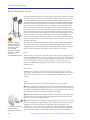
■ Front/first curtain sync (the usual mode) means the flash fires when the
shutter’s
front curtain first fully opens to expose the image sensor.
Click here to explore
first and second curtain
sync.
80
■ Rear/second curtain sync means the flash fires just before the shutter’s rear
curtain starts to close to end the exposure.
FOR MORE ON TEXTBOOKS IN DIGITAL PHOTOGRAPHY, VISIT HTTP://WWW.PHOTOCOURSE.COM