1
User Manual
Ascom i62 VoWiFi Handset
TD 92599GB
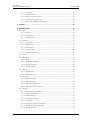
5.4 Messaging .............................................................................................................................. 23
5.5 Services ................................................................................................................................... 24
5.6 Short cuts ............................................................................................................................... 25
5.7 Connections ........................................................................................................................... 26
5.8 Settings ................................................................................................................................... 27
5.9 In Call ........................................................................................................................................ 29
5.10 Customizing the Menu Tree ............................................................................................. 30
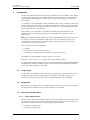
6 Calling............................................................................................................................ 31
6.1 Incoming Call .......................................................................................................................... 31
6.1.1 Answer a Call ................................................................................................................ 31
6.1.2 End a Call ....................................................................................................................... 31
6.2 Outgoing Call .......................................................................................................................... 31
6.2.1 Pre-Dial .......................................................................................................................... 31
6.2.2 Dial Using a Pre-programmed Hot key, Soft key, or Multifunction Button .. 31
6.2.3 Dial a Number from the Call List.............................................................................. 31
6.2.4 Dial the Sender of a Message................................................................................... 32
6.2.5 Dial a Number from the Local Phonebook ............................................................ 32
6.2.6 Dial a Number from the Company Phonebook .................................................... 32
6.2.7 Dial a Name from the Central Phonebook............................................................. 32
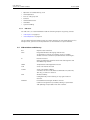
6.3 In Call ........................................................................................................................................ 33
6.3.1 Adjust the Volume during a Call.............................................................................. 33
6.3.2 Open Contacts during the Call.................................................................................. 33
6.3.3 Turn the Microphone on/off during a Call ............................................................ 33
6.3.4 Start a New Call during Conversation .................................................................... 33
6.3.5 Switch between Calls.................................................................................................. 34
6.3.6 End a Call ....................................................................................................................... 34
6.3.7 Transfer a Call............................................................................................................... 34
6.3.8 Transfer to New Call.................................................................................................... 34
6.3.9 Conference Call............................................................................................................. 34
6.3.10 Call Back ...................................................................................................................... 35
6.3.11 Call Waiting ................................................................................................................ 35
6.4 Loudspeaking Function........................................................................................................ 35
6.5 Call Diversion .......................................................................................................................... 35
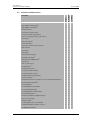
6.6 Push-to-Talk (PTT) Group Call............................................................................................ 36
6.6.1 Accept a PTT Invitation.............................................................................................. 36
6.6.2 Decline a PTT Invitation ............................................................................................. 37
6.6.3 Re-join a PTT Group .................................................................................................... 37
6.6.4 Call a PTT Group ........................................................................................................... 37
7 Alarm Operation ........................................................................................................... 38
7.1 Push-Button Alarm ............................................................................................................... 38
19 November 2010 / Ver. A