1
Content
Chapter 1 Introduction………………………………………………………………….5
1.1 Introduction of PM1600………………………………………………………………5
1.2 Caution…………………………………………………………………………………..5
1.2.1 Danger………………………………………………………………………………5
1.2.2 PRODUCT WARRANTY & CUSTOMER SUPPORT…………………………5
1.2.3 LIMITATION OF WARRANTY……………………………………………………5
Chapter 2 Specifications………………………………………………………………..6
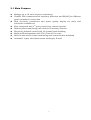
2.1 Main Features..........................................................................................7
2.2 Hardware Specification……………………………………………………………….8
2.3 Software Specification…………………………………………………………………9
Chapter 3 Installation and Wiring……………………………………………………12
3.1 Unpacking………………………………………………………………………………12
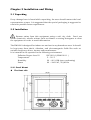
3.2 Installation……………………………………………………………………………...12
3.2.1 Panel Mount……………………………………………………………………….12
3.3 Wiring…………………………………………………………………………………….15
3.3.1 Rear terminal……………………………………………………………………...15
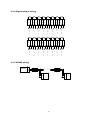
3.3.2 Digital output wiring………………………………………………………….…16
3.3.3 RS485 wiring………………………………………………………………………16
Chapter 4 Using the PM1600……………………………………..…………………..17
4.1 Ways to operate PM1600…………………………………………………………….17
4.1.1 Operation through panel keys of PM1600 Host Machine……………….17
4.1.2 Operation through PM1600 Host Machine with USB mouse…………..18
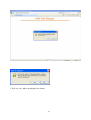
4.1.3 Operating through Web Client………………………………………………...18
4.2 General Operations……………………………………………………………………20
4.3 Function Trees........................................................................................23
4.3.1 Runtime Mode..................................................................................23
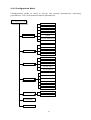
4.3.2 Configuration Mode...........................................................................24
4.4 Connecting the PM1600 with client PC…………………………………………..25
4.4.1 Pier to pier connection…………………………………………………………..25
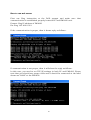
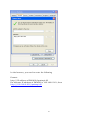
4.4.2 Network Connection……………………………………………………………..25
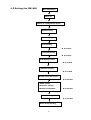
4.5 Setting the PM1600……………………………………………………………………30
Chapter 5 Run Mode……………………………………………………………………..31
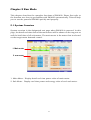
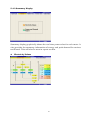
5.1 System Overview………………………………………………………………………31
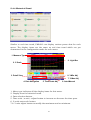
5.2 Meter Group or Meter Display……………………………………………………..32
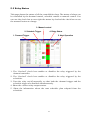
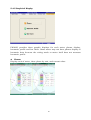
5.2.1 Digital Display……………………………………………………………….……32
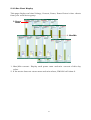
5.2.2 Bar Chart Display………………………………………………………………..33
2