1
Program Manual
2012
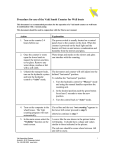
12. Choose the Components select type of
install is “Recommended” and then press
next.
13. Choose Install Location and let the
destination folder be C:\Program
File\VideoLAN\VLC and press Install.
14. The installing window will show up. Just
wait for the program to be installed. Press
next when the Installation is finished
15. Select Run Video LAN VLC media player
and press Finished.
7
VAKI ● Akralind 4 ● 201 Kópavogur ● Iceland ● tel: (+354) 595 3000