1
a
b
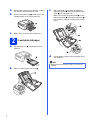
Remove the protective tape and film covering
the machine, and also from the LCD.
c
Remove the plastic bag a containing the ink
cartridges from on top of the paper tray.
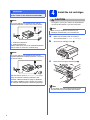
With both hands, gently press and slide the
paper side guides a and then the paper length
guide b to fit the paper size.
Make sure that the triangular marks c on the
paper side guides a and paper length guide b
line up with the mark for the paper size you are
using.
1
1
c
a
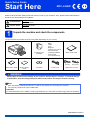
Make sure you have all the components.
3
2
Load plain A4 paper
2
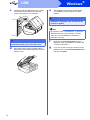
Pull the paper tray a completely out of the
machine.
3
1
d
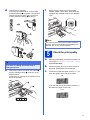
Fan the stack of paper well to avoid paper jams
and misfeeds.
Note
b
Always make sure that the paper is not curled or
wrinkled.
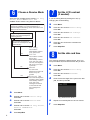
Open the output paper tray cover a.
1
2