1
USER MANUAL
MLX90614 Evaluation board
1 Introduction
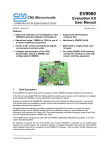
The EVB90614 is designed to support MLX90614 infrared thermometer modules.
The communication between PC and the evaluation board is accomplished by USB.
The Demonstration Kit contains the following items:
1. FS USB demonstration board, pre-programmed with USB
bootloader and demonstration firmware.
2. A standard USB cable for use in communicating with the board.
3. 1 pc. MLX90614AAA (single zone 5V)
4. 1 pc. MLX90614BAA (single zone 3V)
5. CD-ROM, containing the USB HID driver and EVB90614 software
The EVB90614 is designed to allow OEMs to configure the MLX 90614 IR thermometer
for virtually any application quickly. OEMs can quickly experiment with temperature
ranges, optics, etc. to find the best IR configuration to meet the application needs. Once
the best configuration is established, low volume OEMs can easily configure IR modules
for their own use. For high volume OEMs, Melexis can supply special configured
modules, ready to install into the customer’s application. Please contact IR Sales at
Melexis for quotations.
The EVB90614 allows engineers to customize the MLX90614 for high accuracy IR
measurements in an R&D or Laboratory setting.
2 Host computer requirements
To communicate with and program the EVB90614 evaluation board, the following
hardware and software requirements must be met:
• PC-compatible system
• An available USB port
• CD-ROM drive (for use with the accompanying CD)
• Microsoft Windows 98, Second Edition (98SE), Windows 2000 Desktop or Windows XP
Note 1: EVB90614 is HID USB device and will require no drivers on PCs that support HID class USB
devices (except Microsoft Windows 98, Second Edition (98SE)).
Check www.melexis.com for most recent release of the software.
3 Installing the software
As an USB device, the demonstration board requires very little effort to install.
Most of the work is done by the operating system. The software is installed simply by
running the file “setup.exe”.
The software will be installed in a separate Melexis directory and can be accessed from
Start/Programs/Melexis/ Mlx90614 Configurator.
Note 2: If your version of Windows does not support the HID USB devices you might need to install USB
driver (check www.melexis.com for such driver).
390129061401
Rev 004
Page 3 of 23
User Manual
Jan/2008