1
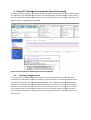
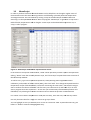
To achieve stable temperatures below 4.2 K it is necessary to control the gas flow valve manually.
Issue the command blue_lt in the OpenGENIE window and check that the gas flow control in the
temperature window of SECI is showing ‘Manual’. Connect the flow gauge attached to the Rootes
pump frame to the exhaust and adjust the gas flow using SECI until the exhaust flow rate is around
450cm3/min. The temperature should drop rapidly to below 2K. Small adjustments to the flow rate
may be needed to ensure a stable temperature. Ensure that the temperature can be stabilized at the
desired base temperature and disconnect the flow gauge to prevent it being clogged by oil. Set
points can be set in the conventional manner up to around 5K. To return to higher temperature
operation the blue_ht command should be issued in OpenGENIE.
4.1.3
Boost mode
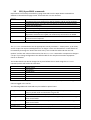
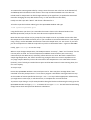
Boost mode is used to speed up temperature changes on warming above 30K. It uses a second
temperature controller and a heater on the sample stick to achieve this. To use boost mode the SECI
configuration must include _boost and the OpenGENIE command boost must have been entered.
Boost mode does not increase cooling speed or change the operation of the cryostat below 30K.