1
Driver Installation
Note: Make sure you have your Microsoft Windows OS Installer CD ready before installing the IEEE
1394A PCI Host Controller card.
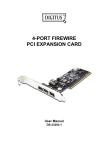
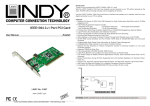
This IEEE 1394A PCI Host Controller card is compliant to IEEE 1394 OpenHCI Specifications and
compatible with Microsoft OHCI, DV and SBP-2 driver in Windows 98, Windows 98SE, Windows
ME, Windows 2000, Windows XP and MacOS operating system. This makes the driver installation
fast and easy, no additional driver required. Simply follow the instructions provided in your operating
system to complete installing the driver.
Overview
Lnternal
PORT 4
PORT 3
External
12Volt
1394
1394
PORT3
& PORT4
(SHARE)
PORT 2
1394
JP1: 1-2 2-3
Internal 12V ON OFF
External 12V OFF ON
PORT 1
1394A CHIP
1394
Notes:
1.
The default factory setting for JP1 is set to position 1-2 (Internal 12V), which uses 12V
from PCI slot. For additional power, connect the External 12V connector on the IEEE
1394A PCI Host Controller card to the power supply of the computer and set JP1 to
position 2-3 (External 12V).
2.
Please note that Port 3 and Port 4 are shared. If a device already connected to Port 3, you
cannot connect another device to Port 4 or vice versa.