1
5
CitiDirect and Your Card
1
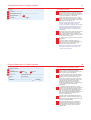
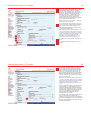
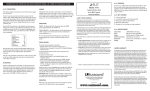
To change PIN code, please switch on
Card by pressing “ON” button.
2
Card will display “ENTR PIN”. Enter
initial PIN.
Recommendations for the Card and PIN code usage
Do not forget PIN code, as the code is not matter to restore. In case of
the code loss, the Card should be replaced. To replace the Card contact
Administrator.
Do not pass Card and do not disclose PIN code to 3rd parties including
Administrators.
3
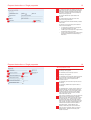
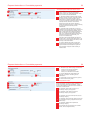
Card will display “HOST?”.
Keep the Card in a place secured against 3rd parties; in case of the
Card theft, loss or damage immediately contact Administrator to replace
the Card.
Press “PIN” button.
Life time of the Card battery is approximately 3 years. After the battery
expiration, do not try to replace the battery with new one; contact the
Administrator to replace the Card.
5
Card will display “NEW PIN”. Enter new
PIN, for example 1234.
In case of need in access termination, contact the Administrator. After
the confirmation on access termination receipt from the Administrator,
you should terminate the card. For that remove both batteries for the
Card, this will make the Card disabled; after that the Card can be
thrown out.
6
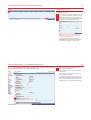
Card will display “AGAIN”. Enter new
PIN again, in our case 1234.
4
7
Card will display “SUCCESS” and then
immediately “HOST?”, which means that
you have successfully changed PIN
code. Switch off Card by pressing “ON”
button.
6
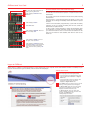
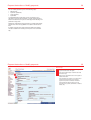
Logon to CitiDirect
Before working in CitiDirect contact Administrator to check requirements of your computer and to create CitiDirect shortcut on a desktop of your
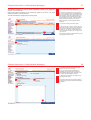
computer. Click shortcut to logon to CitiDirect, welcome screen will be displayed.
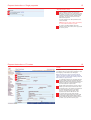
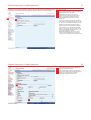
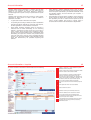
CitiDirect welcome screen
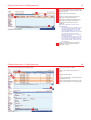
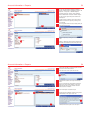
1
In welcome screen select required language. For
that in language section click English prompt.
2
• If you are logging in to CitiDirect first time using
new Card, then select “New User” in “Sign-on
Name” field.
• If you have already logged in to CitiDirect, then
during daily logging in your name will be
displayed in “Sign-on Name” field.
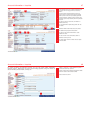
3
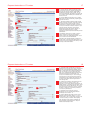
Click “Submit” button to continue. If this is your first
time login, then registration screen will appear.
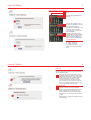
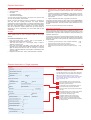
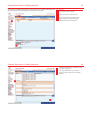
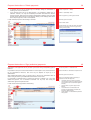
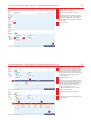
In “Sign-on Name” field: enter your name. During
next time login to CitiDirect your name will be
displayed in CitiDirect welcome screen.
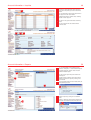
1
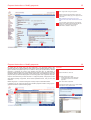
In “Sign-on ID” field: enter your card’s serial
number, indicated on back side of the card under
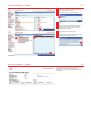
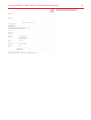
bar-code; click “Submit” to go to
Challenge/Response window.
2
3