1
User Manual for Urgent Verification
INTRODUCTION
The purpose of verification is to fill the verification form online and confirm the
complete procedure of verification online. In the urgent verification, only the candidates
that have given exams of final year are eligible.
There are two logins for the urgent verification module. From candidate login the
candidate can fill form for verification, edit and print the verification form. From RBTE
login, the RBTEs can fill, edit, cancel and confirm the verification applications.
STEPS (OVERVIEW)
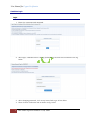
1. Candidate login
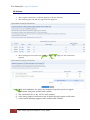
2. Candidate Fills the UV (Urgent Verification) form
3. Edit the UV form if necessary
4. Take a print out of the UV form
5. Candidate shows the hard copy in RBTE
6. RBTE login
7. Fill UV form of candidate (If the candidate has not filled form)
8. Edit the UV form if necessary
9. Confirm the UV form
10. Cancel the UV form if necessary
3
Four Pillars InfoTech India PVT Ltd, Pune.