1
7
Automation Engine
7. The Automation Engine Viewer
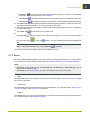
7.1 About the Viewer
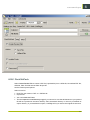
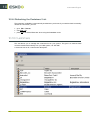
What is the Automation Engine Viewer?
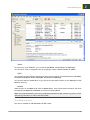
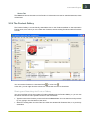
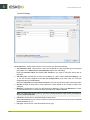
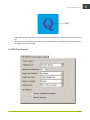
The Automation Engine Viewer is a comprehensive, powerful and integrated Viewer and QA tool.
It can easily be integrated in your Automation Engine workflow, to view, check and compare graphic
production data.
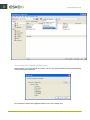
It can be launched directly from within the Automation Engine Pilot, on any Macintosh or Windows
PC in your network. Anywhere you can install and log on to an Automation Engine Pilot you can start
the Automation Engine Viewer (DTP, prepress, QA department, CSR desk...).
You can use as many Automation Engine Viewers as you have Automation Engine Pilot connections.
Opening the Automation Engine Viewer does not allocate an extra Pilot connection.
It is even possible to have two or more Automation Engine Viewers on one workstation by opening a
second Automation Engine Pilot (Pilot - File menu - New window) and opening a file in the Automation
Engine Viewer from there.
If you are an Esko Bitmap Viewer user, you will notice that the interface and shortcuts are nearly
identical.
What does the Viewer offer you?
• Reliability: Showing the data in a correct way. At best in the same way the RIP / Proofer will see
them.
• Detail: Unlimited zoom, high detail measuring, measuring traps and exact distances (die objects).
• Speed: Opening files swiftly, even when it concerns large files. Fast zooming.
Prepared View Data
Reliability is a must. Detail can also not be compromised, it is always offered. The challenge lies in
opening very large files quickly. That is why the Automation Engine Viewer offers 2 view modes: with
or without Prepared View Data.
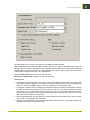
• In case you do not prepare View Data, the server will stream the data to the Automation Engine
Viewer. When a large file has to be opened or compared or when the server is very busy, a delay
can be noticed. Deep zoom detail mode is immediately available.
• In case you do opt to prepare View Data in advance, then the Viewer will show you the prepared
View Data instantly. Zooming in will of course require object data streaming from the server, but
then for a smaller area.
For more information about creating View Data, see Prepare for Viewer.
542