1
The WPT key screens:
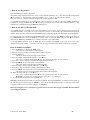
The first screen displayed by the WPT key, is the WPT screen : this screen lets you enter the waypoints in the
GPS.
You have enter the following data :
- the waypoint number (from 0 to 9);
- its latitude (in degree, minute);
- its longitude (in degree, minute);
- its name (5 characters).
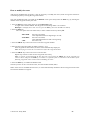
Pressing twice the WPT key, displays the LISTE screen : this screen lets you check the waypoints list (number
and name). This list is limited to 5 waypoints : to scroll the list, use the + - key to display the 5 next waypoints
or the Î key to display the 5 previous waypoints.
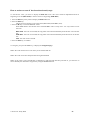
Pressing the WPT key a third time, will display the ROUTE screen, which let you define and active the route.
The defined route can be implemented from its begining to its end (BEG-END), from its end to its begining
(END-BEG) or OFF.
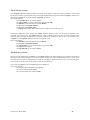
Pressing the WPT key a fourth time, will display the CODE screen.
The MENU key screens:
The MENU key will display the MENU 0 (GPS settings) or MENU 1 (satellites status) screens. These 2 screens
could be displayed from any other GPS screens.
To switch from one screen to an other, press the + - key.
The MENU 0 screen lets you :
- set the language;
- switching on or off the back-light of the screen;
- select the contrast level within 6;
- set the time table between the local and UTC time received by the GPS.
To set these options, press the ENT key : the first available option is highlighted (language selection). To scroll
the different values of the selection, press the Î key; to highlight the next option, press the MENU key. To
validate the different options and exit this screen, press the ENT key.
The MENU 1 screen displays the satellites status : the reception quality, the ID number and elevation value of
the received satellites. Note M represents the means of reception of the 3 best satellites.
To exit from these two screens, just press the MENU key.
VALSAT P – Rally Raid
-6-