1
Introduction
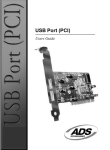
Add a USB device to your PC
Instantly add USB peripherals to your PC. Never open your computer case again after you have
your USB Port (PCI) card installed and say good-bye to confusing cables.
The USB Port (Universal Serial Bus) allows you to instantly connect USB devices to your
computer. The USB Port will allow you to attach 2/3/4 USB devtces instantly.
You never have to worry about running out of slots in your computer or those confusing IRQ's
again. You can also "Hot Swap" your USB devices. What does this mean'' You never have to
power down your PC to install hardware again. Gamers can switch joysticks on the fly. Welcome
to the USB Revolution.
1.0 USB Port Features
This is a true 32-bit PCI-Bus USB card. It supports the following I/O features:
•
•
•
•
•
•
•
2/3/4 USB ports (root hub and two/three/four down stream function ports)
Auto detect speeds and connections of devices
Integrated physical layer transceivers
Normal and low power operating modes
Fully Plug and Play compatible
OHCI (Open Host Controller Interface) specification V2.0 register compatible
USB specification V.1.0 compatible
2.0 System Requirements
This setup program will install the driver for VIA USB 2.0 Host Controller. Before you start to run
the setup program, please make sure your computer is an IBM PC-compatible system.
This driver can be used either the following operating systems:
Windows98
Windows98 Second Edition.
Windows Millennium.
Windows 2000.
Windows XP.
3.0 Driver Limitations
Current limitations of the driver are: Composite devtces and Hi-Speed Isochronous Transfers are
currently not supported.
Please visit VIA web site (http://www.via.com.tw) to get the latest driver.