1
Contents:
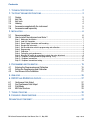
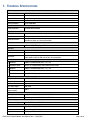
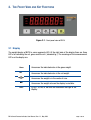
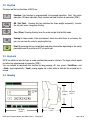
1. TECHNICAL SPECIFICATIONS ..................................................................................... 2
2. THE FRONT VIEW AND KEY FUNCTIONS ....................................................................... 3
2.1
2.2
2.3
2.4
2.5
2.6
Display
Key Pad
Key Lock
Housing
Accessories supplied with the instrument
Accessories sold separately
3
4
4
4
5
5
3. INSTALLATION ....................................................................................................... 6
3.1
3.2
Recommendations
How to install the instrument and Scale ?
6
6
Step 1. Mechanical Installation ......................................................................................................... 7
Step 2. Load Cell Connection ............................................................................................................ 7
Step 3. Power Supply Connection and Grounding.............................................................................. 7
Step 4. Energize the instrument ........................................................................................................ 8
Step 5. Set the calibration switch to programming and calibration .................................................... 8
Step 6. Programming ....................................................................................................................... 9
Step 7. Calibration ............................................................................................................................ 9
Step 8. Testing the scale performance.............................................................................................. 9
Step 9. Bring the DIP switch to up position to unlock the scale adjustment ....................................... 9
Step 10. Peripheral related parameters programming, if any .......................................................... 10
Step 11. Peripheral connections ..................................................................................................... 10
Step 12. Peripheral connections testing .......................................................................................... 14
4. PROGRAMMING AND CALIBRATION ........................................................................... 15
4.1
4.2
4.3
Entering the Programming and Calibration
Exiting the Programming and Calibration
Fast Access to the Calibration
15
15
21
5. ANALOGUE ......................................................................................................... 26
6. RS232C AND RS485 DATA OUTPUTS .................................................................... 27
6.1
6.2
6.3
6.4
Continuous Data Output
Fast Continuous Data Output
Print Mode
BSI Data Structure
27
28
28
29
7. TROUBLE SHOOTING ............................................................................................. 30
8. FREQUENTLY ASKED QUESTIONS ............................................................................. 31
DECLARATION OF CONFORMITY ................................................................................... 32
BX18 Smart Process Indicator, User Manual, Rev. 1.1, May 2013
Page 1 of 32