1
AveraSell Quick Start Guide
Instructions
See Help
Go To:
In the User Manual you will often see
references to the Help files of AveraSell.
Throughout this manual we will try to
guide you to a specific area of AveraSell.
For example, if you read "Go To
Accounting: Reports: Sales Reports:
Inventory" you should click on the pull
down menu named Accounting, then
select Reports, then select Sales Reports,
and finally select Inventory.
For example, when you read in this
manual "See Help: Price/Weight
Embedded In SKU" this means that you
should open the help files and find the
topic.
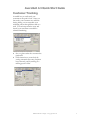
1) Go To Help: Search For Help On
2) Select the Find tab.
To standardize directions, you will most
frequently be directed to the pull down
menus at the top of the window which
are always available. However, you will
quickly discover that there are faster
ways to accomplish the same thing. For
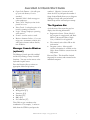
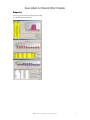
example, on the Manager Console
screen you can simply press Report
Center (CTRL-R) and choose the same
report.
3) Start typing a keyword, like
"embedded"
Step By Step
This is an informative and handy feature
of the AveraSell's Help program to
gradually initiate you to features and
procedures of AveraSell. You will be
given a tip which might otherwise be
overlooked.
Learning to do something for the first
time sometimes requires step by step
instructions.
1) Where it is considered appropriate
you will be asked to follow numbered
steps of instructions.
4) In the bottom half, you will see the
topic and you can choose to open it.
If you would like more help with this,
Go to Help: How To Use Help.
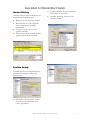
Tip Of The Day
2) These step by step instructions will
stand out with this formatting design.
3) Remember that this may not be the
only way of accomplishing the task.
4) As you become more familiar with
AveraSell, you may find equally
appropriate and perhaps easier ways of
doing the same thing.
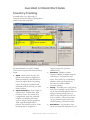
You can open the Tip Of The Day at
any time by selecting it under Help.
Or you may set AveraSell to open it
each time you start AveraSell. This
POSitive Software Company – www.gopositive.com
2