1
Version 3.604 (31/03/05) p3
INNER RANGE IQ PLUS. Quick Programmer’s Manual.
2. PROGRAMMING METHODS
Inner Range IQ has been designed to provide a versatile system that is quick & easy to program & commission.
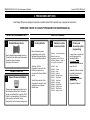
THERE ARE 5 WAYS TO QUICKLY PROGRAM YOUR INNER RANGE IQ.
FROM THE PROGRAMMING KEY
1
Portable Memory Device
Used to Download programming data into a
Controller that has been copied from another
Controller or from a Computer.
See page 4 of this manual.
FROM A COMPUTER
2
Upload / Download Software
Allows system programming while on-line to
the Controller or while off-line. Connection
can be via local Serial Port (using the “Port 0
Cable”) or via remote dial-up. This software
is also used to view “Review” history.
Download for free from www.innerrange.com
FROM THE TERMINAL
3
Factory Defaults
Much of the basic system
programming can be quickly
implemented by selecting one
of the System Default options.
See Page 16 of the
Programmer’s manual for the
Default procedure and an
overview of the System Default
options.
See the Tables section of the
Programmer’s manual for a full
description of each System
Default option.
4
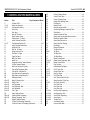
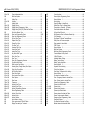
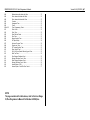
Address Location
-Numerical Order
Section 9 - of the Programmer’s
Manual outlines the
programming of the IQ by the
numerical Address, a listing is
on Page 24 of this manual..
401-495
500-520
521-569
570-589
590-595
600-741
750-769
800-870
890-893
897-899
900-914
918-919
Users
Comms
Areas
Holidays
Daylight Saving
Zone Inputs
TimeZones
Auxiliaries
General Opts
System Inputs
Times/Counts
Access Control
5
Primary and
Secondary option
programming.
In many cases, a system can
be fully programmed by
following the Basic
Programming Guide
flowchart steps described on
pages 10 to 24.
Additional Features can then
be added by following the
Advanced Feature
Programming described in
Section 8 of the
Programmer’s Manual.