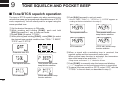
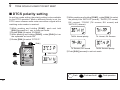
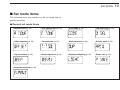
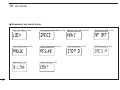
1
SET MODE
10
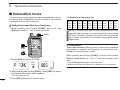
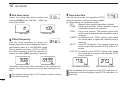
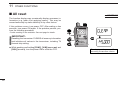
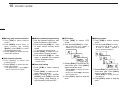
D Key lock effect
D Dial speed acceleration
Y]/[Z
Z] and
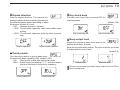
While the key lock function is ON, [Y
[SQL] (ATT•SET) can still be accessed. Accessible keys can
be set to one of 4 groups.
[PWR] and [FUNC]+[BAND] (TS•LOCK) are also accessible
during the lock, however, these keys are not effected by this
setting.
Y]/[Z
Z] and [SQL] (ATT•SET) are accessible.
• NORMAL : [Y
(default)
• NO SQL : [SQL] (ATT•SET) is accessible.
Y]/[Z
Z] are accessible.
• NO VOL : [Y
• ALL
: No accessible key is available, except [PWR]
and [FUNC]+[BAND] (TS•LOCK).
The dial speed acceleration automatically
speeds up the tuning dial speed when rotating [DIAL] rapidly.
• ON : The dial speed acceleration is tuned ON.
(default)
• OFF : The dial speed acceleration is turned OFF.
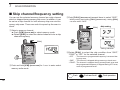
WFMAM -DUP T SQL
DTCS ATT
VOL PRIO P SKIP MR
9
5
LOW 1
DTCS ATT
VOL PRIO P SKIP MR
9
5
LOW 1
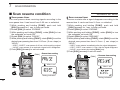
Normal lock condition
WFMAM -DUP T SQL
WFMAM -DUP T SQL
DTCS ATT
VOL PRIO P SKIP MR
9
5
LOW 1
Squelch level can be adjusted
WFMAM -DUP T SQL
DTCS ATT
VOL PRIO P SKIP MR
9
5
LOW 1
WFMAM -DUP T SQL
DTCS ATT
VOL PRIO P SKIP MR
9
5
LOW 1
DTCS ATT
VOL PRIO P SKIP MR
9
5
LOW 1
The acceleration ON
The acceleration OFF
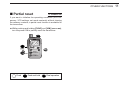
D Monitor key action
10
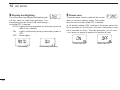
The monitor key, [SQL] (ATT•SET), can be set
as a ‘sticky’ key. When set to the sticky condition, each push
of [SQL] (ATT•SET) toggles the monitor function ON and OFF.
• PUSH: Pushing and holding [SQL] (ATT•SET) to monitor
the frequency. (default)
• HOLD : Push [SQL] (ATT•SET) momentarily to monitor the
frequency and push momentarily again to cancel it.
WFMAM -DUP T SQL
Audio output can be adjusted
WFMAM -DUP T SQL
DTCS ATT
WFMAM -DUP T SQL
DTCS ATT
Transceiver power and lock
function only switchable
VOL PRIO P SKIP MR
9
5
LOW 1
VOL PRIO P SKIP MR
9
5
LOW 1
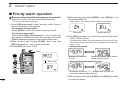
Monitor key activates
as PUSH function key.
Monitor key activates
as HOLD function key.
Push and hold [SQL] to monitor
Push to monitor
56