1
English
Package Contents
1. KVM-0260
2. User Manual
3. Quick Installation Guide
Requirements
Console
• A DVI monitor capable of the highest resolution that you will be using on any computer in
the installation
• A USB keyboard and a USB mouse
• Speakers and microphone (optional)
Computers
The following equipment must be installed on each computer that is to be connected to the
system:
• A DVI video port
• A USB port for the keyboard, a USB port for the mouse, and a USB host controller
• Speaker and microphone ports (optional)
Installation
B
Make sure power to all computers being installed has been turned OFF.
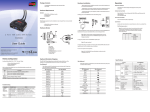
1. Plug your keyboard, monitor, mouse, microphone and speakers into the appropriate
connectors at the end of the console cable. The ports are color coded and labeled with an
identifying icon.
Plug the keyboard in before plugging in the mouse. When using a
wireless composite keyboard and mouse, its USB cable must plug
into the KVM-0260’s keyboard port for the Hotkeys to function.
The mouse connector (black) is actually a USB port, and can accept
any USB compatible peripheral. You can even connect a hub to install
multiple USB devices.