1
Section 7
GPIB Remote Operation (Option)
7-1 Introduction
This section describes how to operate the meter via GPIB interface. It also
explains the detail information of all IEEE 488.2 command sets and Standard
Commands for Programmable Instruments (SCPI) used in the meter. The
remote control operation enables the user either to manually operate the meter
via a terminal or executes a host computer program automatically.
7-2 Description of the GPIB
The GPIB is a bus structure that links the meter to desktop computers and others
GPIB controlled instruments to form an automated measurement system. GPIB
can connect up to 15 devices on one contiguous bus, star or linear bus network.
Total transmission path length is 2 meters times’ number of devices, whichever
is less, with a maximum of 3 meters separating any two devices. Asynchronous
8 bits parallel data transfer using a 3-wire handshake.
One megabyte per second (maximum) over limited distances; actual data rate
depends upon the capability of the slowest device involved in the transmission.
7-3 GPIB Interface Parameters Set up
With the optional GPIB (IEEE-488) interface installed, the meter is fully
programmable for used on the IEEE-488.1 interface bus (1978). The meter is also
designed to comply with the supplemental standard IEEE-488.2 (1987).
In order to operate the meter via a host computer or terminal, the parameters in GPIB
interface within the meter has to match the parameters in the bus interface provided by
the host or terminal.
The following procedures will guide the user to set up GPIB interface parameters
within the meter to comply GPIB interface with the host. The default settings of the
meter at factory are address 8 and talk off.
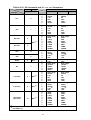
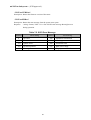
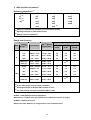
Table 7-1 indicates the GPIB interface factory settings and user selectable
communication parameters.
69