1
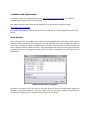
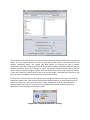
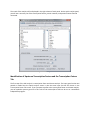
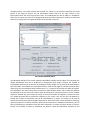
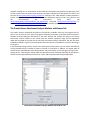
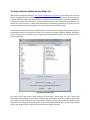
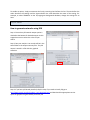
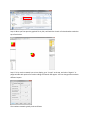
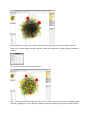
Installation and Requirements The installer for X2K is available for download at: http://www.maayanlab.net/X2K. The installer is compatible with Windows, Mac OS X, and Linux. X2K requires that you have at least Java 6 installed. You can get the latest version of Java at: http://www.java.com/getjava The installer will install the required files to run X2K, shortcuts to run it, and optionally the source code for X2K. Quick Analysis Upon starting up X2K, the program starts with the first tab dedicated for performing a quick analysis with X2K. There are two ways to input gene‐lists into X2K: pasting a list of genes or importing a gene list from a file. The gene list should be formatted such that there is one Entrez Gene Symbol on each line with no dashes, spaces or special characters. You can paste gene‐lists directly into the input text box for a gene‐list column, or by clicking on the “Input Gene List” button to browse for your gene‐list text file as seem below: Load a text file with a list of genes By default, the output file will be stored in the same directory where the X2K program resides. On Windows, the output will appear in your User Folder. You may also specify where you would like the output to go by clicking on the “Output Summary” button as seen below.