1
User Manual RFEX
File System
4.3 Measurement Results
Measurement results are always saved in ASCII format. They can be opened with any editor, for
example the Windows Notepad utility.
The format, the contents and the directory where to save the measurement result files, depend on the
type of the measurement. In order to understand the contents of the different files, a good understanding of the measurement procedures and of how the different measurement types are related to each
other is recommendable. See chapter 5 for details on the measurements.
4.3.1 Single Measurements
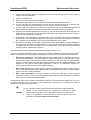
Single measurement result files are saved, together with their corresponding measurement configuration files in the Measures \ Single directory.
During a single measurement, RFEX drives the system in order to acquire one set of measurement
data (one value for each measurement frequency) for each selected polarization for each packet.
Immediately after acquisition, the value defined as extrapolation factor in the measurement packet is
added to each measurement value.
These extrapolated data are saved as raw data to a file called <Measurement>.Raw
<Measurement> stands for the name given to this measurement when selecting it.
where
After the sweep has been completed for all measurement packets, these raw data are corrected for
the antenna factors and the cables attenuations associated to each polarization in the measurement
packet editor. The next step consists in compressing the data by comparing the values against the
acceptance threshold defined in the measurement packet. Only if the value for at least one
polarization exceeds the acceptance threshold, the measured data at the associated frequency will be
considered from here on.
The values obtained from this compression step are saved to a file called <Measurement>.Result.
Finally, the vector sum (root of the sum of square values) of the values obtained for each polarization
is performed, in order to evaluate the equivalent field strength in V/m. These sums then are saved to
the final result file for a single measurement, named <Measurement>.Compressed.
According to the procedure described, this final result file contains one line for each frequency at
which a significant field component (higher than the acceptance threshold) has been detected. Each
line contains, in this order, four fields: Name of the measurement packet, time and date of data
acquisition, frequency and equivalent field in V/m.
*
TS-EMF
For the TS-EMF system, the above steps are performed in a little different order.
Due to fact that with the tri-axis probe no explicit polarization selection is available,
all three axes of the probe will sequentially be activated and the corresponding
levels be evaluated.
Therefore, after adding the extrapolation factor, the measured data will first be
corrected for their antenna factors (one for each axis) and then immediately added
geometrically (root of sum of squares). Hence, <Measurement>.Raw will contain
only one value per frequency, this value already being corrected for the antenna
factors and being the vector sum of all three field components.
Correspondingly, also <Measurement>.Result, obtained after correcting the cable
attenuation and compressing the data, will show only one value for each frequency.
In this case, the total equivalent field values instead of each single polarization
component will be taken into account when compressing the data against the
acceptance threshold.
If the option Save Raw Data is selected in the Options dialog (see section 3.8), the intermediate files
<Measurement>.Raw and <Measurement>.Result will not be deleted after the measurement.
49
E-1