1
Service and Support
HOBO® products are easy to use and reliable. In the unlikely event that
you have a problem with this instrument, please read the following.
Who do I contact?
Contact the company that you bought the loggers from: Onset or an Onset
Authorized Dealer.
Before calling, you can evaluate and often solve your problem if you try
the following:
1. Read this manual and the ReadMe file on the software disk. It may only
take a few moments to get the answers you need.
Note: Software purchased separately
2. Write down the events that led to the problem. Have you changed
anything in your computer recently? Are you doing anything differently?
3. Visit the Technical Support section of the Onset web site at
www.onsetcomp.com/support.html.
When contacting Onset, please indicate that you need Technical Support
for StowAway products. Be prepared to:
1. Provide the product number and serial number for the StowAway-IS
Temp Logger (which is found on the side and bottom of the logger), and
software version in question.
2. Provide details on the hardware and software configuration of your
computer including manufacturer, model number, peripherals, and version
of operating system.
3. Completely describe the problem or question. The more information you
provide the faster and more accurately we will be able to respond.
Onset Technical Support
Onset Computer Corporation
470 MacArthur Blvd., Bourne, MA 02532
Mailing: PO Box 3450, Pocasset, MA 02559-3450
Phone: 1-800-LOGGERS (1-800-564-4377) or 508-759-9500
Fax: 508-759-9100
E-mail: loggerhelp@onsetcomp.com
Internet: www.onsetcomp.com
Temperature Accuracy: ±0.72°F
Plot B - Graph 5193-A
(±0.46°C) at +68°F (+20°C), see Plot B
Temperature/Accuracy
for temperature accuracy over the
complete operating temperature range
Temperature Resolution: 0.63°F (0.35°C)
at +68°F (+20°C), see Plot B for
temperature resolution over the
complete operating temperature range
Response Time: <60 minutes in
still air
Recommended Storage Temperature:
-40°F to +122°F (-40°C to +50°C);
storage outside this range will reduce battery life
Measurement Capacity: 32K 8-bit measurements
Data Offload Time: 8K in 90 seconds, 32K in 6 minutes
Size: 1.5" diameter, 0.8" height, mounting bail hole
diameter 3/16" (5mm)
Weight: 1.1oz (32g)
Battery: 1/10 D, 3.6 Volt Lithium, non-replaceable
Battery Life: 5 years continuous use with a logging interval ≥10 minutes
and multiple sampling disabled
Environmental Rating: Tested to NEMA 6 (IP67); not intended
for deployment in water or extended exposure to
epoxy-permeating vapors
Intrinsically Safe Rating: IS, Class I, II, Division 1, Groups A-G,
Temperature Code T4 (≤135°C); NI, Class I, Division 2, Groups A-D,
Temperature Code T4 (≤135°C); S, Class II, Division 2, Groups F and G
Launch, Operation and Recovery
Launching your StowAway-IS
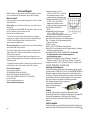
Connect the Optic Base Station to the host computer using the appropriate interface cable (CABLE-PC-3.5 for a PC and CABLE-MAC-HOBO for a
Macintosh). Attach the StowAway-IS coupler to the Optic Base Station
(see Figure 1). Place the StowAway-IS into the coupler such that the bail
on the StowAway-IS lines up with the alignment arrow on the coupler.
Refer to the software user’s manual for launching procedures.
Note: Remove the logger from the coupler once
launched. The coupler contains a
magnet to wake up the logger
for communication.
Readout
Figure 1
At the end of the deployment, reconnect the StowAway-IS to the
StowAway-IS Coupler and attach the Optic Base Station for readout. The
StowAway-IS communicates at 1200 baud, so 8K of data will
take about 90 seconds to download and 32K of data will take about
6 minutes.
Shuttle Compatible
The StowAway-IS is compatible with the Optic Shuttle for offload and relaunch when used with the StowAway-IS Coupler. See the Optic Shuttle
Page 5
Page 2