1
2 Background
17
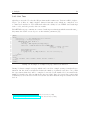
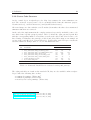
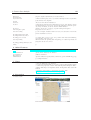
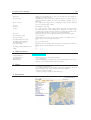
• Main Map
The basic component of every application. It contains one or more layered raster or
vector graphics as well as additional components placed into the map.
• Overview Map
Displays the main map (usually showing the full geographic dimensions) in the form
of a smaller navigable reference map and highlights the current view portion of the
main map. The purpose of this map is to assist the user’s orientation, allowing for a
good overview of the maps at hand.
• Pan/Zoom Bar
Includes panning arrows as well as a zoom tool with a slider for changing zoom levels.
• Layer Overview
Lists all available map layers along with an option to turn layers on or off.
• Toolbar
Contains buttons and menu options for activating various (GIS) functions (e.g. Navigation, Analysis, Queries and Printing).
• Scale Bar
Shows the current scale in form of a bar, description field or check box.
• Legend
Explains the colors and symbols used in the map, often in conjunction with the layer
overview.
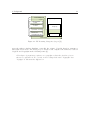
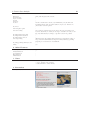
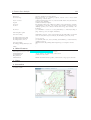
Figure 2.3: Components of Web Mapping Application OpenLayers