1
MOVIT-LAB2 User’s Manual
(Program EX5)
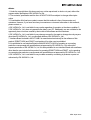
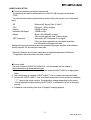
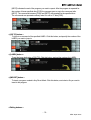
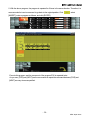
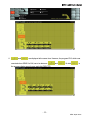
Let’s make a program, using [FOR] and [NEXT], where the program EX4 is repeated endlessly.
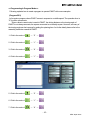
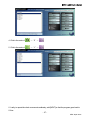
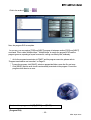
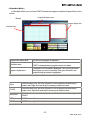
1.Click 01 line, and click “INSERT”.
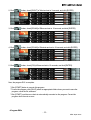
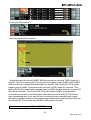
2.Click in the order of
→ “0” →
.
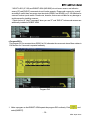
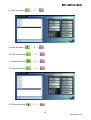
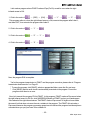
3.Check “Add to last”.
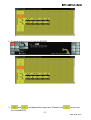
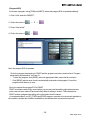
4.Click in the order of
→
.
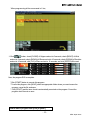
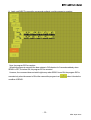
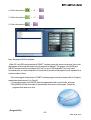
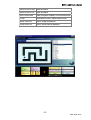
Now, the program EX5 is complete.
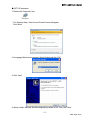
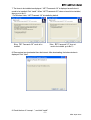
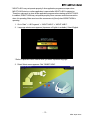
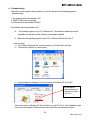
*As for the program transmission to P!MOT and the program execution, please refer to “Program
transmission and execution” on Page 51.
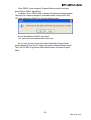
* To save the program, click [SAVE], select an appropriate folder, name the file, and save.
* Click [SEND], and the error check is automatically executed on the program. Correct the
program when there is an error.
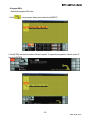
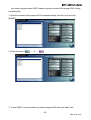
Now, let’s transmit the program EX5 to P!MOT.
P!MOT must have made a Pipo sound when you put your hand toward the right infrared sensor,
and it must not have made a Pipo sound when there is nothing in its front. This indicates that
P!MOT makes a judgment according to the information from the sensor.
As mentioned above, in a [IF], [THEN] and [ELSE] program, execution of a movement depends on
the condition; whether the condition is satisfied or not decides which command is executed.
- 50 ©EK Japan 2007