1
TRIAXIAL CONSOLIDATED UNDRAINED TESTING
© 2013 Geocomp Corp.
A: Once a test is finished or even while it is running, go to the File menu.
1. Click on Load; this will load the test data on the open window on the desktop.
2. Go back to Report. You should see now the Graph, Settings, and Edit menus all
activated.
3. You can change units and scales, and edit the test data points.
4. Remember that every time you change or edit something, you will need to save the
file, and load it again.
4. Q: During the test, a controller error message appears on the screen telling me that a
limit switch is on; what should I do?
A: You will probably need to reposition the LoadTrac-II crossbar so that the platen's
motion is in the middle of its range. It can happen that the platen starts too high up and the
upper limit switch is triggered as the test proceeds. If this has happened, you will see the
upper limit switch red LED flashing. Follow the steps given below.
1.
2.
3.
4.
5.
6.
Bring down the View menu and click System to display the System Monitor window.
Record the Load reading.
Lock the piston.
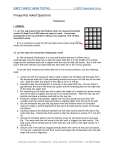
Using the keypad on the LoadTrac-II unit, move the platen down.
Reposition the crossbar to a lower level.
When you have locked the crossbar at its new position, reapply the load from before
the error message.
7. Unlock the piston.
8. Click the Retry button.
5. Q: We have a UC test running and an error message that reads: "Load reading of 65528
is out of range” popped up. Why does this show up and how do we prevent it?
A: When you receive an error message stating, "Load reading of 65528 is out of range" it
means that the load cell sensor has maxed out. Your sample strength is stronger than the
capacity of the load cell. You will have to use a higher capacity load cell for the type of soil
that you are testing.
The action you need to take depends on how much the sample has strained.
If the strain is a lot less than strain at failure (which depends on the soil type), you could
restart the test with a higher capacity load cell. (Be sure that you enter the correct
calibration factors for the new load cell.)
If the strain is close to strain at failure, you may have to test another sample of the same
material with a higher capacity load cell.
6. Q: We have several units connected to the same PC. We were running only one of the
units, so we shut off the remaining units. Then we got an error message stating that the
Geocomp Corporation · 125 Nagog Park · Acton, MA 01720 · Tel 978-635-0012 · Fax 978-635-0266