1
INTRODUCTION
This manual is provided to help you understand your security system and become proficient in
its operation. All users of your security system should read and follow the instructions in this
booklet and, if possible, practice on the keypad control while your professional installer is on
site. Failure to do so could result in the security system not working properly. Please keep this
booklet in an accessible location for the life of the security system. If you do not understand
any part of this manual you should notify your installing company.
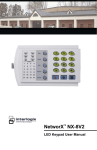
The SECURITY CONTROL can be turned on (ARMED) and off (DISARMED) by entering a 4
or 6 digit code into the Keypad Control, which is similar to a telephone keypad. If your Security
Control has been so programmed, you may be able to turn on (ARM) your System by simply
pressing the [PARTIAL] or [EXIT] key. The system must always be disarmed using a 4 or 6
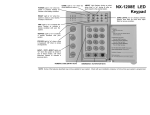
digit code. The LED keypad includes up to 60 icons and a built-in electronic sounder. These
provide specific information relating to the status of the security system which is described in
the booklet. Understanding what the icons and sounds mean will help you easily operate your
system.
Please read the following information and instructions carefully before operating your security
control system.
WARNING NOTES
The equipment should be installed by
qualified SERVICE PERSONNEL only.
The equipment should only be operated with
an approved power adapter with insulated live pins.
CAUTION – RISK OF EXPLOSION IF BATTERY IS REPLACED BY AN INCORRECT
TYPE. DISPOSE OF BATTERIES ACCORDING TO THE INSTRUCTIONS.
CONTACT YOUR INSTALLER FOR REPLACEMENT BATTERIES.
Icon Keypad
Page 2