1
2
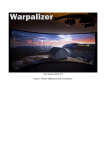
What is the point with the 3D setup function?
Most simulations on the market today is 3D visualisations of the
simulation you are running. But our monitors/projectors will show this
as an physical 2D image on your screen/monitor.
When you are warping your image on a curved screen using a regular
”checkerboard/2D warping”, the warping does not correct for the
radius of a curved screen, even if your checkerboard is perfectly
aligned. This will result in image distortion on screens with a large FOV.
Specially noticeable on your sideviews, as your runway/horizon can be
noticed as slightly curved. The greater the field of view, the worse the
distortion will appear.
The 3D setup, is a calibration tool that calculates exactly how your
View should be, based on your physical screen measurements. This is
done by entering the Vertical and horisontal screen degrees into the
warpalizer.
2D warping is best suitable for flat screens, and screens with very
small curvature. For example a home theatre or a control room
installation.
3D warping is best suitable for visuals with a larger curvature. Single
curved screens, double curved screens and domes.
Copyright
Author: Ivar Hestnes
www.univisual.se