1
WANSCAM User Manual
Table of CONTENTS
1. Product Introduction ...........................................................................................3
1.1. Safety Introduction .........................................................................................3
1.2. Product Specifications................................................................................. ....4
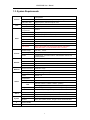
1.3. System Requirements........................................................................................5
1.4. Product Views……………..............................................………….................5
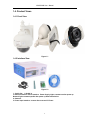
1.4.1 Front View................ ......................................................................................5
1.4.2 Interface View.................................................................................................5
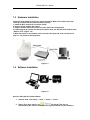
1.5. Hardware Installation........................................................................................6
1.6. Software Installation..................................... ....................................................6
2. Software Operation...............................................................................................6
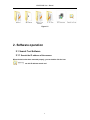
2.1. Search Tool Software................................................. ......................................7
2.1.1. Search The IP address of the Camera.............................................................7
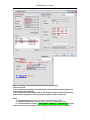
2.1.2. Configuration of the Network............................ ............................................7
3. Real-Time Video Demonstration................................... ......................................9
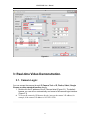
3.1. Camera Login.............................................................. .................. ...................9
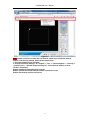
3.2. View via IE Browser.........................................................................................10
3.3. View via Safari, Firefox, Google Browser. .................. ...................................13
3.4. Main Menu interface Introduction....... ............................................................14
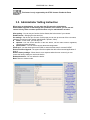
3.5. Administer Setting Instruction......................... ................................................15
3.5.1. Multi-Device Settings....................................................................................16
3.5.2. Basic Network Settings.............. ...................................................................17
3.5.3. Wireless Settings.......................................................... .................................18
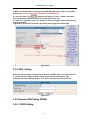
3.5.4. ADSL Settings................................................................................................19
3.5.5. Dynamic DNS Settings...................................................................................19
3.5.5.1. DDNS Setting .............................................................................................22
3.5.5.2. Port Forwarding Settings......... ...................................................................23
3.5.5.3. DDNS Register........ .................. ................................................................25
3.5.6. Email and FTP Service Settings....................... .............................................29
3.5.7. Alarm Service Settings............................. .....................................................29
3.5.8. Reset/Firmware Upgrade Settings............... ..................................................30
3.5.9. Restore Factory Settings...................... ..........................................................31
3.5.10 Reboot Equipment.........................................................................................31
4. Warranty........... ...................................................................................................32
2