1
Display
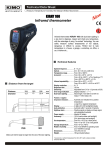
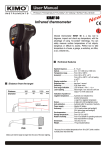
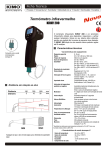
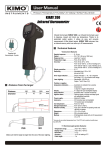
KIRAY 300 instrument description
LCD
backlighted
display
Up button
Down button
Mode button
Laser sighting output
IR sensor
(infrared)
KIRAY 300 instrument buttons
1 - Up button. It allows to increment emissivity and
high and low alarm thresholds and to go to the
following recorded value. It also allows to navigate
between MAX, MIN, AVG and LOG.
Laser sighting output
Probe
input Button to access
to battery
2 – Backlight/laser button. It allows to activate or
to deactivate laser backlight of the screen.
You can also saved a value.
1
2
3
4
Trigger
3 - Mode button. It allows to navigate through the
modes (MAX and MIN values, DIF and AVG,
emissivity, high and low alarms, unit of
measurement).
Battery
compartment
4 - Down button. It allows to decrement emissivity and
high and low alarm thresholds and to go to the
following recorded value. It also allows to navigate
between MAX, MIN, AVG and LOG.
Supplied with
Transport case
User manual
●
K thermocouple probe
●
Tripod
●
●
CE Certification
This device meets with following standards' requirements.
• EN 50081-1 : 1992, Electromagnetic compatibility, Part 1
• EN 50082-1 : 1992, Electromagnetic compatibility, Part 2
Infrared thermometer, how does it work?
Infrared thermometers can measure the surface temperature of an
object. Its optic lens catches the energy emitted and reflected by the
object. This energy is collected and focused onto a detector. This
information is displayed as temperature. The laser pointer is only used to
aim at the target.
Infrared sensor
Laser sighting
Emitted energy by the object
in the form of radiation
Ref. FTang - KIRAY300 -02/02/10 - RCS (24) Périgueux 349 282 095 Non-contractual document – We reserve the right to modify the characteristics of our products without prior notice.
1 - Unit of measurement (°C / °F)
2 - Low battery indicator
3 - LOG value (recorded value), EMS (emissivity) and
TK (K thermocouple probe)
4 - LOG, EMS, TK indicator
5 - Temperature value
6 - MAX and AVG (average) indicator
7 – Current measurement indicator
8 - HOLD (fixed measurement) indicator
9 - MAX, MIN, AVG, DIF value
10 - Laser operation indicator
11 - Continuous measurement indicator
12 - High alarm indicator
13 - Low alarm indicator
14 - MIN and DIF (difference between MIN and MAX values) indicator
Backlight,
laser and
recording
button