1
TelVue® CloudCastTM User Manual / v. 4.1.0 / June 2014
2
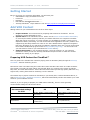
Getting Started
Be sure to record your customer information. You will need your:
•
CMS Address: http://cloudcast.telvue.com
•
Username: ______________________
•
Password: _______________________
•
FTP Address: cloudcast.telvue.com
•
TelVue® CloudCastTM Player Address: such as http://vp.telvue.com/player?id=YourTown
Add VOD Content
Adding content to your CloudCast account involves three steps:
1.
2.
3.
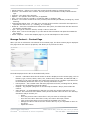
Prepare Content. See instructions for preparing VOD content for CloudCast. For Live
Streaming, contact sales@telvue.com.
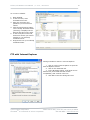
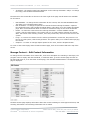
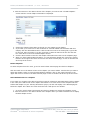
Upload videos to the CloudCast service. Either use the TelVue Turbo Workflow Accelerator,
or use FTP (file-transfer protocol) that lets you transfer files from one computer to another.
While this can be convenient, you must consider your installation’s firewall. Consult your IT
department before proceeding. You will need an FTP client application and many modern ones
support drag-and-drop transfers for ease of use. Some Web browsers support an integrated
FTP client. Be aware of your FTP client’s limitations, especially older ones. TelVue recommends
the freeware FileZilla FTP program found at http://filezilla-project.org/. You will need to set
your FTP mode to “Active” (see instructions for FileZilla and IE).
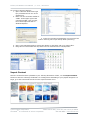
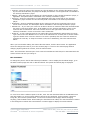
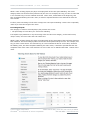
Import the Content to your CloudCast account. Once the content is in your TelVue®
CloudCast™ folder you will use TelVue® CloudCast’s Import function to make the content
available for viewing in your player.
Preparing VOD Content for CloudCast™
This is a guide to the formats best suited for playing Video on Demand (VOD) through the TelVue®
CloudCast™ Internet streaming service.
Most online video is encoded using the H.264 video codec and AAC audio codec in an MP4 container.
This format is currently the most widely used and will allow your content to be viewed on Android,
iOS, Roku, and most web browsers. These video and audio codecs provide high quality without a very
high bit rate, making them ideal for streaming over the Internet.
The easiest way to prepare content for CloudCast, if you already have a TelVue Broadcast Server, is
with a TelVue® Turbo™ Workflow Accelerator, which will automatically encode and transfer your video
assets to your CloudCast account.
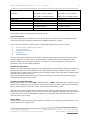
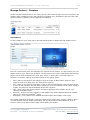
However, if you are going to prepare your VOD content manually, here are some generally
recommended settings for SD and HD videos:
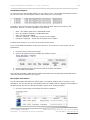
Recommended settings
for VOD
Video Codec
Video Bit Rate
CBR vs VBR
Aspect Ratio
© 2014 TelVue Corporation
SD
H.264; MPEG-4 (Main Profile @
3.1 Level)
700-1250 Kbps
CBR
typically 4:3, sometimes 16:9
(widescreen)
HD
H.264; MPEG-4 (Main Profile @
3.1 Level)
2000-2500 Kbps
CBR
16:9 (widescreen)
16000 Horizon Way, Suite 500, Mt. Laurel, NJ 08054
CloudCastTM is a trademark of TelVue Corporation
800-885-8886 / www.telvue.com