1
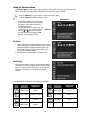
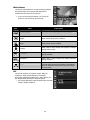
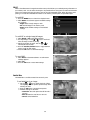
Metering
This sets the metering method for calculating the exposure.
Icon
Item
Description
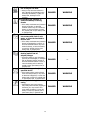
Multi
The entire area of the screen is measured, and the exposure is calculated.
Center
Averages the light metered from the entire frame, but gives greater weight
to the subject matter at the center.
Spot
A very small portion of the center of the screen is measured, and the
exposure is calculated.
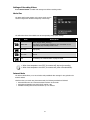
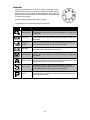
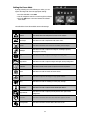
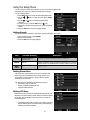
Color Mode
The Color Mode function applies different colors or tones for a
more artistic effect on the still images or videos.
• As you move through the selection, the preview on the
LCD monitor changes synchronously.–
Icon
Item
Description
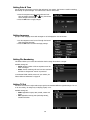
Normal
The camera records normally.
LOMO
Captures a photo or records a movie in LOMO style.
Vivid
The camera captures the image with more contrast and saturation
emphasizing on the bold colors.
Sepia
Images are captured in sepia tones.
Color Accent (Red)
Retains red tone while the rest of the scene becomes black and white.
Color Accent (Green)
Retains green tone while the rest of the scene becomes black and white.
Color Accent (Blue)
Retains blue tone while the rest of the scene becomes black and white.
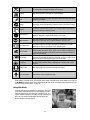
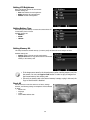
B&W
Images are captured in black and white.
Vivid Red
Captured image becomes reddish. Ideally used to record images like
flowers and cars to make them more vivid.
Vivid Green
Captured image becomes greenish. Ideally used to record images like
mountains and lawns to make them more vivid
Vivid Blue
Captured image becomes bluish. Ideally used to record images like the
sky and the ocean to make them look more vivid.
29