1
Customize
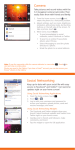
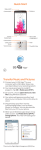
Add Apps or Widgets
Press and hold an empty part of the screen.
Tap Widgets or Apps.
Tap the item you’d like to add.
Change Wallpaper
Press and hold an empty part of the screen.
Tap Wallpapers.
Choose from Gallery, Live wallpapers, Multi-photo, or Photos.
Tap a wallpaper to select it.
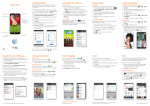
Polaris® Office
View Microsoft® Office documents.
Open a Microsoft
Excel® file
Open a Microsoft
Word® document
View Favorites
Share the
document view
Open a Microsoft
PowerPoint®
presentation
Open a text file
Open an Adobe® PDF
Create a new
document