1
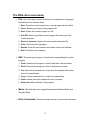
Goto Sub..................................................................................................................... 45
Wait .............................................................................................................................. 46
Wait For Move ........................................................................................................... 47
Int on Pos ................................................................................................................... 48
Int on Input................................................................................................................. 49
Encoder....................................................................................................................... 51
Set Outputs................................................................................................................ 52
Set Position ............................................................................................................... 53
Reset............................................................................................................................ 54
Abort............................................................................................................................ 54
Comment .................................................................................................................... 55
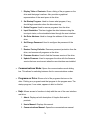
Examples........................................................................................................................ 56
Example One ............................................................................................................. 56
Example Two ............................................................................................................. 60
Example Three .......................................................................................................... 62
Example Four ............................................................................................................ 66
Example Five ............................................................................................................. 69
Example Six ............................................................................................................... 74
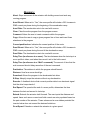
The IDEA drive menu bar ........................................................................................... 78
File................................................................................................................................ 78
Edit ............................................................................................................................... 78
Mode ............................................................................................................................ 78
Drive Commands...................................................................................................... 78
Communications Mode........................................................................................... 79
Programs on Drive................................................................................................... 79
Help.............................................................................................................................. 79
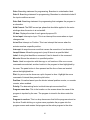
Glossary ......................................................................................................................... 80
3