1
‘757 Captain’ FLIGHT MANUAL Part V – Flight Management System
DO NOT USE FOR FLIGHT
69
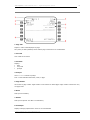
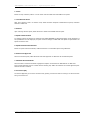
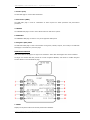
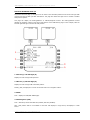
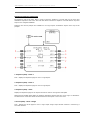
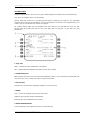
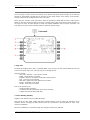
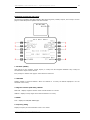
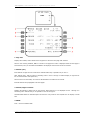
3. STEP TO
Displays a calculated step climb altitude based on the step size.
Blank when:
• there is no active flight plan
• less than 200 NM from the T/D point
• less than 500NM from the destination
• step size is zero
4. AT
Displays the ETA and DTG to the step climb point.
Displays NOW when past the calculated step climb point.
Line title changes to TO T/D when within 200 NM of the top of descent point. ETA and DTG are relative to the
T/D point.
The data is the same as displayed on the PROGRESS page.
5. Optimum Altitude and Maximum Altitude (OPT MAX)
OPT - displays the most economical altitude to fly based on gross weight and the active cruise speed.
MAX — displays the two engine maximum altitude based on gross weight, climb and cruise speeds within the
speed envelope, and sufficient excess thrust to provide a specified residual rate of climb capability.
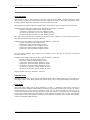
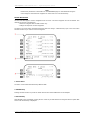
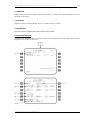
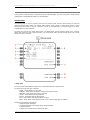
CRUISE DESCENT
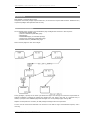
Cruise descents can be started in the cruise phase when the airplane is more than 50 miles from the T/D
point.
A cruise descent can be started by selecting a lower altitude on the MCP, entering the new altitude in the
CRZ ALT line and executing. A VNAV cruise descent is commanded at the current cruise speed and
approximately 1250 feet per minute rate of descent.
The autothrottles adjust thrust to maintain the target descent rate; pitch maintains the commanded speed.
Thrust levers can be manually positioned to adjust the descent rate.
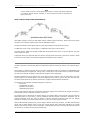
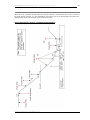
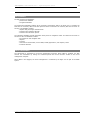
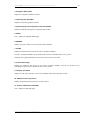
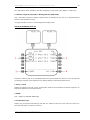
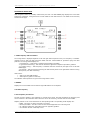
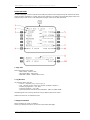
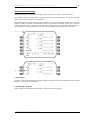
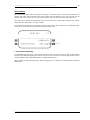
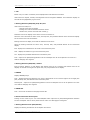
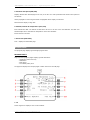
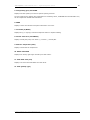
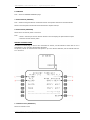
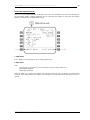
1. During Cruise Descent
VNAV page title shows cruise phase in a descent to a new cruise altitude.
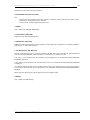
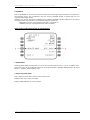
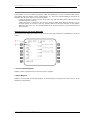
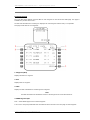
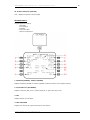
2. End of Cruise Descent
VNAV page title shows cruise phase after level off at new cruise altitude.
© 2011 Captain Sim www.captainsim.com