1
RT-IS
2
User Manual
INSTALLATION
2.1 Wiring
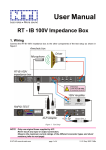
RT-IS is used in combination with a suitable PC-software from NTI (i.e. RT-Speaker, RT-ATS
or RT-Compliance). The wiring details are shown in the User Manuals of the corresponding
packages.
NOTE
Operate the RT-IS Input Switcher only under control of a NTI PC-software to
avoid damages of peripheral devices or the whole system.
2.2 USB Driver Software
Step 1
Connect the RT-IS via an USB cable to the controller PC. As soon as you do this for the first
time, the following message appears:
Select the entry “Install from a list or specific
location …” and click in “Next”.
Fig 2 Installer screen #1
Step 2
Insert the CD-ROM with the control software to your controller PC.
On the second installation panel, select the
entry “Search for the best driver in these
locations”, tick the box “Search removable
media …” and click on “Next”.
Fig 3 Installer screen #2
p. 3/5