1
5. Operation
The IRIS Workstation is a graphics-oriented micro-computer. To the user, it
looks like a standard System V UNIX computer. The sections that follow
outline the normal operation procedures used with the IRIS Workstation.
These include a simple boot procedure, login, compiling and running
demonstration programs, adjusting the Monitor, using the network software
and shutdown. Normally, the boot and shutdown procedures are handled by
the system administrator. They are covered here in outline form only.
The IRIS Workstation can be configured by the customer in many ways. These
include adding new accounts, new terminals and printers and connecting it to
a local area network. See Section 6 for an explanation of system administration
for the IRIS Workstation.
NOTE: The sections that follow assume that the reader
has some experience with the UNIX system as a user.
5.1 Boot
The IRIS Workstation can be booted in many different ways but the simplest
and most common is to boot off of a disk.
NOTE: UNIX single-user mode should be used only for
system maintenance. Normal operation should occur only
in multi-user mode.
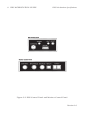
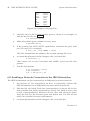
1. Check the configuration switches on the I/O Panel on the rear of the
Cabinet (see Figure 3-4). Switches 4 through 7 should be in the
Closed position. Switch 8 should be in the Open position.
2. Turn on the power for the IRIS Workstation.
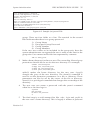
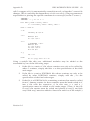
3. These steps will boot the IRIS Workstation in single-user mode. A
UNIX prompt will appear.
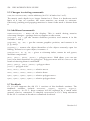
#
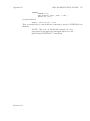
4. The file system will be checked automatically during the boot
process to insure their integrity. fsck is mostly automatic. If fsck
finds anything out of the ordinary, it will prompt the user for a
decision. See Section 6 and Appendix B or consult with the system
administrator.
Version 1.0