1
NetPod User Manual Version 1.10 Copyright Keynes Controls 2005 - 2006
5.2
Software Mode Changes
To change the mode of operation of the driver software:
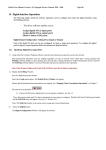
From the Default PodMng Window select File > Access Control
User
Figure 13 PodMng - Access Control Window
The Access Control Window will appear. Enter your password.
Select the Mode of Operation
Press the OK button to activate the mode change.
When the Access Control Window disappears you have changed operating modes.
Page 37