1
4. Offline Adapter Management Utility Command Line Interface
Viewing Adapter Information
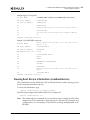
Sample legacy FC response:
Product Name
: LPe12002, 8GB/S, 2-PORT, FC, PCI EXPRESS HBA, DIAG, OPTICS
PN (Part Number)
:LPE12002-M8
SN (Serial Number)
:VM80175529
V0
:VM80175529
V1
:Emulex LPe12002-M8 8Gb 2-port PCIe Fibre Channel Adapter
V2
:LPe12002-M8
V3
:T2:78,T3:79,7A,7B,7D,7E,7F,T7:73,TB:73,TFF:78
V4
:0
Command completed, NO Error
Sample LPe 16000 HBA response:
Product Name
:Emulex LightPulse LPe16002-M6-D 2-Port 16Gb Fibre Channel
Adapter, FC PF
PN (Part Number)
:LPe16002-M6-D
SN (Serial Number)
:99999999
MN (Manufacture ID)
:1028
VS
:DSV1028VPDR.VER1.0
VP
:NPY2
VM
:PMT7
VV
:NMVEMULEX CORPORATION
VT
:DTINIC
V0
:99999999
V1
:Emulex LightPulse LPe16002-M6-D 2-Port 16Gb Fibre Channel
Adapter
V2
:LPe16002-M6-D
Command completed, NO Error
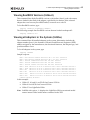
Viewing Boot Device Information (readbootdevice)
This command shows the WWN, the LUN (in decimal format), and the topology in use
for the currently selected boot device.
To show this information, type
oslpcfg readbootdevice n=<adapter number>
The following example reads WWN and LUN for adapter #1:
oslpcfg readbootdevice n=1
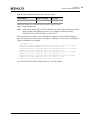
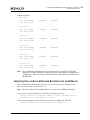
Note: The readbootdevice command does not read boot device settings for EFI (IA64)
adapter boot. This command is supported only for x86 and x86_64 adapter boot
configurations. You can modify or show EFI boot settings using hbacmd or the
EFI shell.
Offline and Online Adapter Management Utilities Version 6.1 User Manual
P008003-01A Rev. A
42