1
Table of Contents
1.
Introduction .................................................................................................................................... 4
1.1.
1.2.
1.3.
1.4.
Overview .......................................................................................................................................................................4
Models...........................................................................................................................................................................4
Features ........................................................................................................................................................................4
Programming.................................................................................................................................................................4
2.
Using ............................................................................................................................................... 5
3.
Operational Description ................................................................................................................ 6
3.1. Backlight in Active and Sleeping Mode .........................................................................................................................6
3.2. Transmit / Receive Indication ........................................................................................................................................6
3.3. Operation of the Feedback Indication ...........................................................................................................................6
4.
Charging ......................................................................................................................................... 7
5.
Button Labels ................................................................................................................................. 8
6.
Addressing ..................................................................................................................................... 9
7.
Modify Mode ................................................................................................................................. 10
7.1. Overview .....................................................................................................................................................................10
7.2. How to Display the Address ........................................................................................................................................10
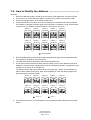
7.3. How to Modify the Address .........................................................................................................................................11
8.
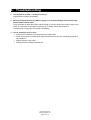
Troubleshooting........................................................................................................................... 12
9.
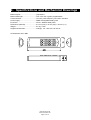
Specifications and Mechanical Drawings ................................................................................. 13
10. Software and Firmware License................................................................................................. 14
11. Warranty Conditions ................................................................................................................... 15
12. CE Declaration of Conformity..................................................................................................... 16
13. FCC................................................................................................................................................ 17
User Manual rfCUE
www.cuesystem.com
Page 3 of 18