1
How to Config Access Control (Soyal) on NUUO Main Console
Type 2 Scenario: Soyal 701 server as a client to receive data from Soyal controller.
Set Node ID and Door ID on Soyal Controller device. Node ID is for every controller; Door ID is for every reader.
For how to set these ID please refer to Soyal Access Control’s user manual.
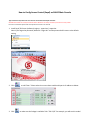
1. Install Soyal 701 Server (software) Login as : supervisor / supervisor
Note: If you forget the password, delete file “Login.dat” and the password will recover to the default
setting.
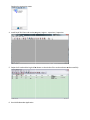
2. Clink
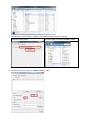
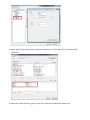
to add “Door”. Please select the correct door model and input its IP address as below.
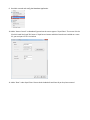
3. Click
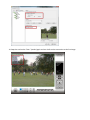
to make sure the linkage is available. Take “716 V3/Ei” for example, you will see this model