1
Reference & Maintenance Manual
Manual Revision Information ........................................................... 1
1) Overview......................................................................................... 3
2) Introduction – About the MDC2100 Family................................. 4
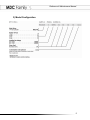
3) Model Configuration ..................................................................... 5
4) Personal Safety ............................................................................. 6
5) Installation...................................................................................... 7
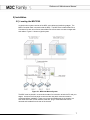
5.1) Locating the MDC2100 .............................................................................................................................7
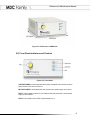
5.2) Front Panel Indicators and Controls..........................................................................................................8
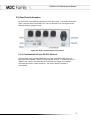
5.3) Rear Panel Information ..............................................................................................................................9
5.3.1) Communication Ports: RS-232, Ethernet ..........................................................................................9
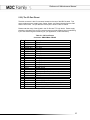
5.3.2) The I/O Port Pinout ...........................................................................................................................10
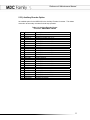
5.3.3) Auxiliary Encoder Option ................................................................................................................11
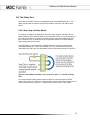
5.4) The Safety Port .........................................................................................................................................12
5.4.1) Stop Loop and Stop Switch ..............................................................................................................12
5.5) Axis Information ......................................................................................................................................13
6) Operations.................................................................................... 15
6.1) Fault Detection and Motor Power Control .............................................................................................15
6.2) Motor Output Signals...............................................................................................................................16
6.2.1) Brushless Servo Motor......................................................................................................................16
6.3) Encoder Input ...........................................................................................................................................17
6.4) Limit, Home & Temp Sensors.................................................................................................................18
6.5) Brake Release Output...............................................................................................................................18
7) The Galil DMC Interface .............................................................. 19
7.1) The I / O Port ............................................................................................................................................19
7.2) Overview...................................................................................................................................................19
7.2.1) MDC Digital Inputs and Outputs .....................................................................................................20
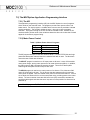
7.3) The MDCOptima Application Programming Interface .........................................................................21
7.3.1) The API..............................................................................................................................................21
7.3.2) Motor Power Control ........................................................................................................................21
7.3.3) Brakes ................................................................................................................................................22
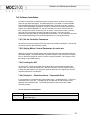
7.4) Software Installation ................................................................................................................................23
7.4.1) Set the Controller Parameters...........................................................................................................23
7.4.2) Setting Motion Control Parameters for each axis ...........................................................................23
7.4.3) Loading the API ................................................................................................................................23
7.4.4) Example 1 – Brushless Servo - Trapezoidal Drive .........................................................................23
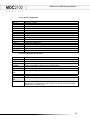
7.5) Appendices................................................................................................................................................26
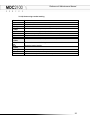
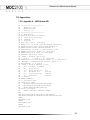
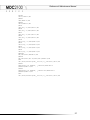
7.5.1) Appendix A – MDCOptima API......................................................................................................26
8) Troubleshooting & Service ........................................................ 28
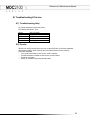
8.1) Troubleshooting Help...............................................................................................................................28
8.2) Service.......................................................................................................................................................28
2