1
VK STEEL
DESCRIPTION AND ANALYSIS OF STEEL CONSTRUCTIONS
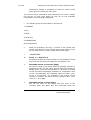
Contents ..................................................................... 1
Chapter 1.INTRODUCTION .......................................... 5
System and software requirements ................................... 6
Installation..................................................................... 6
Program Structure........................................................... 8
A first contact with working enviroment ............................. 9
General ........................................................................... 9
User interaction.............................................................. 10
The VK Steel entities....................................................... 11
Work Environment presentation ....................................... 12
Looking for Help.............................................................13
VK Steel Help System .................................................... 13
User Manuals ................................................................ 13
On Line Help ................................................................. 13
Personal Support............................................................ 15
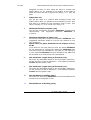
CHAPTER 2. AN EXAMPLE ...........................................17
General.........................................................................18
Structure of the Example ................................................19
Looking for Help.............................................................20
Abbreviations ................................................................21
Step 1 Creation of the project folder................................23
Shortcut creation............................................................ 24
Step 2 Preliminary work .................................................26
Step
Step
Step
Step
Step
Introduction................................................................... 26
Preliminary model definition data ..................................... 27
3
4
5
6
7
Defining the project parameters.............................32
Defining the loads and load combinations................39
Structure defining ...............................................42
Diagnostic checks ...............................................53
Members Check ..................................................56
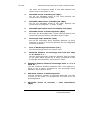
CHAPTER 3. «FILE» MENU .........................................61
Introduction ..................................................................62
New ...........................................................................63
Open ...........................................................................65
Save ...........................................................................67
Import ..........................................................................68
Essential actions before file insertion ................................ 69
Import ASCII Format Files ............................................... 70
Import DXF Format Files ................................................. 71
Export ..........................................................................73
Export DXF Format Files .................................................. 75
Export ASCII Format Files ............................................... 77
Export Drawing .............................................................. 78
Print ...........................................................................81
Exit ...........................................................................87
Recent Projects..............................................................88
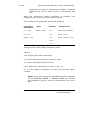
CHAPTER 4. «PARAMETERS» MENU ...........................89
General.........................................................................90
Material Library..............................................................91
Design codes ................................................................. 94
Section Library............................................................... 98
Material Properties.........................................................101
Connections..................................................................102
2