1
How to change batteries
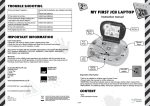
How to play
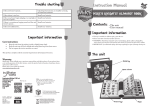
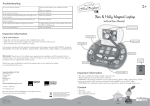
Slide to open
Open the laptop by sliding the left side
of shield to the left, and the right side of
shield to the right.
Use the game selector to choose one of
the 4 different games to play.
Game 1: Discovery
To play this game press on the 1st image of Mike on the game selector. In this mode, press the
different keys on the laptop and Mike will teach you about colours, numbers, letters, objects and his
friends.
• Press the 6 square keys and Mike will teach you colours, numbers, letters and objects
• Press the 6 round keys and Mike will introduce himself and his friends
1.
2.
3.
4.
5.
6.
7.
This product requires 3 x “AA” (LR6-AM3)
1.5V batteries
When required, using a suitable screwdriver,
undo and remove the battery cover located
under the unit.
Insert 3 x “AA” (LR6-AM3) 1.5V batteries into
the compartment ensuring they are installed
the correct way around.
The polarities are marked inside the battery
compartment.
Should the batteries have no polarity
markings, the flat end of the battery should
always be inserted against the spring.
Reassemble the battery cover and tighten the
screw to secure.
Do not over tighten
Please note the important points below when using batteries to power this product:
Game 2: Quiz
To play this game press on the 2nd image of Mike on the game selector.
In this mode, Mike will ask you to find colours, numbers, letters and his friends.
Answer his questions by pressing directly on the correct key.
You have 3 chances to answer correctly, before Mike tells you the correct answer and asks you another
question.
Game 3: Advanced Quiz
To play this game press on the 3rd image of Mike on the game selector.
In this mode, Mike will ask you to find an object on the screen.
Answer his questions by pressing on the square keys. You will need to associate the keys to the
objects on screen in the same relative position. For example, to answer ‘armour’ you would press on
key 1. You have 3 chances to answer correctly, before Mike tells you the correct answer and asks you
another question.
•
•
•
•
•
•
•
•
•
•
•
•
•
•
Game 4: Music
To play this game press on the 4th image of Mike on the game selector.
In this mode, press the different keys on the laptop to hear music, fun sounds and Mike and his
friends
• Press the 6 square keys to play different musical notes and compose your own tunes!
• Press the 6 round keys to hear music and Mike and his friends talking!
Push the shield together at any time to close the laptop, stop playing games and put the laptop
into sleep mode.
To save battery power, the laptop will automatically go into sleep mode after a few seconds of
inactivity.
To start playing again simply press on any key or game selector.
•
•
•
Batteries should be inserted and removed by an adult.
Only use the type of batteries specified in this user manual, or equivalent type. We recommend
the use of alkaline batteries.
Follow the polarity diagram inside the battery compartment and the polarity markings on the
batteries.
An incorrect location may either damage the toy, or cause battery leakage, or, to an extreme
degree, lead to battery explosion.
Do not try to charge non-rechargeable batteries, as they may leak or explode.
Replace all batteries at the same time.
Do not mix new with old batteries
Do not mix different types of batteries (i. e. alkaline and zinc carbon).
Remove the batteries during long periods of non-use. Always remove exhausted batteries
from the product. Battery leakage and corrosion can damage the product.
Do not short-circuit the supply terminals. Store batteries away from metal objects.
Do not dispose of batteries in fire, as they may leak or explode. Never disassemble batteries.
Rechargeable batteries should not be used.
When rechargeable batteries are used anyway :
o Rechargeable batteries shall be charged only under the supervision of an adult.
o Rechargeable batteries shall be removed from the toy before being charged (if
they can be removed).
If a battery is swallowed, consult a Doctor or Medical Facility. Don’t forget to take the
product with you.
If battery leakage occurs and comes in contact with the skin or eyes, wash immediately
with lots of water.
Batteries are included for demonstration purposes only and may need replacing after
purchase.
Strong Electro Magnetic Interference may disturb the normal function of the product.
If so, simply reset the product to resume normal operation by following the instruction
manual. In case the function does not resume, please use the product in another location.