1
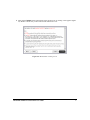
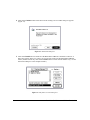
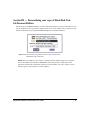
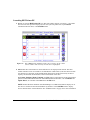
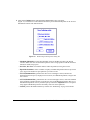
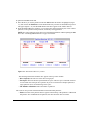
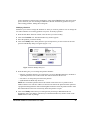
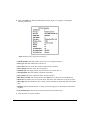
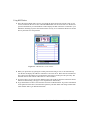
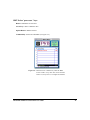
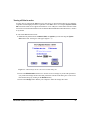
2. Click on the Info icon. The Drive Information window (Figure 3.16) appears, containing the
following information:
Figure 3.16: The Drive Information dialog box.
¥
¥
¥
¥
¥
¥
¥
¥
¥
¥
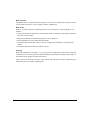
SCSI ID number: The SCSI address, from zero to six, assigned to the drive.
Drive type: The kind of SCSI device the drive is.
Drive class: The class of the drive: SCSI-1, SCSI-1/CCS, or SCSI-2.
Drive capacity: The size of the drive in megabytes.
Partition style: The Apple partition style (Inside Mac IV or Inside Mac V).
Total partitions: The total number of partitions on the disk.
Driver name: The name or ID of the driver currently installed.
HDT Driver Version: The version number of the HDT driver (if the driver is a ToolKit driver).
Block size: The number of bytes per block in the disk format. The standard is 512 bytes per block.
Mirroring: Indicates whether the drive is being used for automatically duplicating data onto another
drive.
¥ Striping: Indicates whether the drive is being used for storing pieces of information on more than
one drive.
¥ Free partition space: The amount of space that has not been partitioned out.
3. Click anywhere to close this window.
34
Hard Disk ToolKit¥Personal Edition User Guide