1
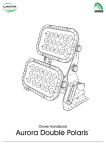
Outdoor DMX LED Twin Magiflood 36*tri-3W User Manual
Our outdoor DMX LED twins’ magiflood offers many possibilities to achieve the effects which
you want. It is for DJs, bands, nightclubs and other performers who want a complete LED wash
light system. Please read the manual before operation.
A. SPECIFICATION
1. Size: 41.2*34.4*33.5cm
2. Weight: 8.8kg
3. Power input: AC 110V/240V, 60HZ/50HZ
4. Power consumption: 120W
5. LEDS: 36*tri-3W LEDS;
6. Beam angle: 45 degree
7. IP rate: IP66
8. Very powerful static colors effects
9. Perfect color mixing & wall wash effects for the buildings
10. Built-in programs, auto run, DMX mode, M/S, static colors
11. DMX channels: 5CH, 8CH, 9CH
12. Safety eye available
B.OPERATION:
After power on, Press “MODE” button to activate the main menu: Built-in programs mode, Auto
running mode, DMX mode, Slave mode, static color mode.
“SETUP” is to set the relative specification for current mode.
“UP” is to add the value of current specification.
“DOWN” is to decrease the value of current specification.
Built-in programs-- running one of built-in programs
Auto run—running built-in programs one after another in continuous loop.
DMX mode--controlled by DMX controller
Slave mode—the projectors in this mode will be synchronously run with the projectors in master
mode
Static color mode-- to have static color effects from this function.
1. Built-in program
Press the “MODE”,enter the menu to choose the program“Pr.××”。
Press the “UP”or “DOWN”,choose the effect program Pr.01~Pr.09。
When the LED display shows Pr.01- Pr.09, the first time to press “SETUP”, it will show“SP.XX”,
press “UP”or “DOWN”to set up the running speed for the program from SP01~SP100(FL);the
second time to press “SETUP”,it will show“FSxx”,press “UP”or “DOWN”to set up flash speed
from FS00~FS99.
2. Auto Running
Press “MODE”to enter the auto running“AUTO”,the fixture will run the built-in programs from
Pr.01~Pr.09.The user can set up the running speed and flash speed under built in program. Then it
will auto run the effects in order.
1