1
S600+ Instruction Manual
Contents
Chapter 1 – General Information
1.1
1.2
1.3
1.4
Scope of Manual .......................................................................................................................... 1-1
FloBoss S600+ Flow Computer ................................................................................................... 1-2
Config600™ Configuration Software............................................................................................. 1-5
1.3.1
Config600 Lite................................................................................................................ 1-6
1.3.2
Config600 Lite+.............................................................................................................. 1-6
1.3.3
Config600 Pro ................................................................................................................ 1-7
Additional Technical Information.................................................................................................. 1-8
1.4.1
Open Source Software................................................................................................... 1-8
Chapter 2 – Installation
2.1
2.2
2.3
2.4
2.5
2.6
3.3
3.4
3.5
3.6
4.2
3-1
CPU Module (P152) ..................................................................................................................... 3-1
Power Supply ............................................................................................................................... 3-4
3.2.1
Watchdog Relay............................................................................................................. 3-4
3.2.2
On-Board Battery Backup.............................................................................................. 3-4
Communication Ports................................................................................................................... 3-5
3.3.1
EIA-232 (RS-232) Serial Port ........................................................................................ 3-6
3.3.2
EIA-422 (RS-422)/EIA-485 (RS-485) Multi-drop Port....................................................3-7
3.3.3
Ethernet LAN Ports ........................................................................................................ 3-7
3.3.4
Local Operator PC or Remote Display Port................................................................... 3-7
CPU Connectors and Jumpers .................................................................................................... 3-8
USB Port ...................................................................................................................................... 3-9
Additional Technical Information.................................................................................................. 3-9
Chapter 4 – Input/Output (I/O)
4.1
2-1
Preparing for Installation .............................................................................................................. 2-1
Environmental Considerations ..................................................................................................... 2-2
Required Tools for Installation ..................................................................................................... 2-2
Installing the S600+ ..................................................................................................................... 2-3
2.4.1
Unpacking the S600+ .................................................................................................... 2-3
2.4.2
Removing the Front Panel .............................................................................................2-3
2.4.3
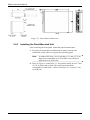
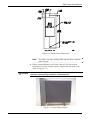
Installing the Panel-Mounted Unit..................................................................................2-6
2.4.4
Reinstalling the Front Panel........................................................................................... 2-8
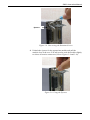
Installing and Removing Modules ................................................................................................ 2-8
Installing EMC Protection...........................................................................................................2-10
Chapter 3 – CPU Module
3.1
3.2
1-1
4-1
I/O Module (P144)........................................................................................................................ 4-1
4.1.1
Analogue Inputs (ANIN) ................................................................................................. 4-3
4.1.2
Analogue Outputs (DAC) ............................................................................................... 4-5
4.1.3
Digital Inputs (DIGIN)..................................................................................................... 4-6
4.1.4
Digital Outputs (DIGOUT).............................................................................................. 4-8
4.1.5
Turbine Pulse Inputs ...................................................................................................... 4-9
4.1.6
Pulse Outputs (PULSEOUT) .......................................................................................4-10
4.1.7
Raw Pulse Output (RAWOUT) ....................................................................................4-11
4.1.8
Frequency Inputs .........................................................................................................4-12
4.1.9
PRT/RTD Inputs...........................................................................................................4-13
4.1.10 Jumper Settings ...........................................................................................................4-14
Prover Module (P154) ................................................................................................................4-17
4.2.1
Digital Inputs (DIGIN)...................................................................................................4-19
Revised Jan-11
iii