1
Podium Plus Data Analysis Software
User Manual
3.7 Circuit Map
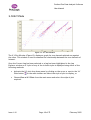
The Circuit Map window (Figure 10) displays a map of
the circuit for the Current Lap.
This window is used in conjunction with the Graphs
window to relate the graph cursor position to a specific
point on the lap.
Clicking on the map moves the map cursor to the point
on the track closest to the mouse click. This also moves
the graph cursor to the same point.
Figure 10 - Circuit Map Window
If the Circuit Map window is not currently visible it can be activated in any of the
following methods:
•
Click the Circuit Map tab next to the Notes tab, or
•
Click the Circuit Map button
•
Choose View ¨ Circuit Map from the main menu.
on the main toolbar, or
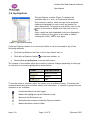
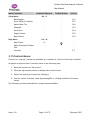
The buttons on the toolbar immediately below the title bar are enabled whenever a map
is displayed and they perform the following:
Shows/hides segments.
Allows the segments for the current circuit map to be edited.
Rotates the map by 90º in a clockwise direction.
To see the name of a button, place the cursor over it without clicking. To execute the
command associated with a toolbar button click the button. If a button is greyed out the
command is not available.
Issue 1.10
Page 15 of 72
February 2005