1
Introduction
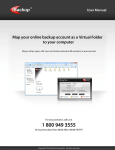
IBackup Drive is a network drive that allows users to map IBackup online storage account as a
local drive. IBackup Drive application enables users to copy, paste, open, edit, delete and save
files/folders in the online account. IBackup Drive is exclusively designed for Microsoft Windows
Operating Systems and works just like another drive on your computer.
IBackup Drive is exclusively designed for Microsoft Windows Operating Systems and works like
another drive on your computer. IBackup Drive technology allows you to map your IBackup online
storage account as a local drive.
You can easily drag-and-drop files. You can open, edit and save these files in your online backup
account, as if they are on your local computer. You can also share files and folders with your
friends and colleagues for collaborative access. It is easy to install and has 128-bit SSL support.
It also supports character sets of international languages like Japanese, Chinese, Italian,
German, Hebrew, Arabic and so on.
Copyright © Pro-Softnet Corporation
User Manual for IBackup Drive
1